
Computers Unpacked: From Silicon Logic to Everyday Superpowers
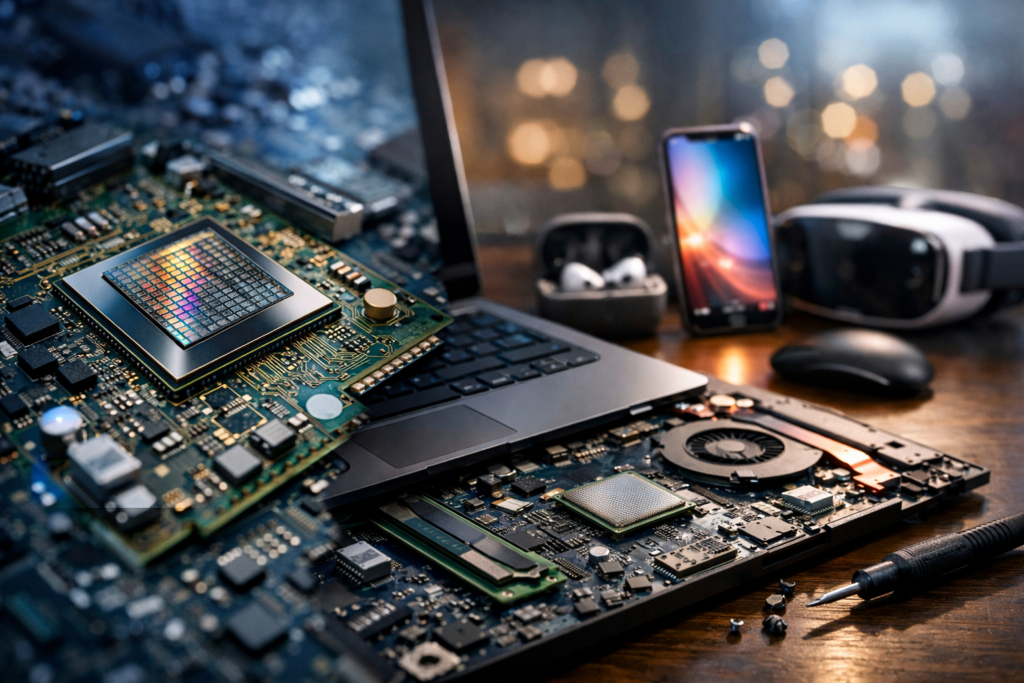
What a Computer Really Is
A computer is a programmable machine that accepts input, processes data according to instructions, stores information, and produces output. While people often equate “computer” with a laptop or desktop, the concept is broader: phones, game consoles, smart TVs, car control units, and cloud servers are all computers specialized for different roles. What makes a computer powerful is its flexibility—by changing software, the same hardware can write a document, simulate weather patterns, edit video, or run a business inventory system.
The Core Building Blocks
Every modern computer is a careful balance of components, each optimized for a distinct task. Together they form a system that moves and transforms data at tremendous speed.
CPU: The General-Purpose Brain
The central processing unit (CPU) executes instructions, making it the “general-purpose” workhorse. It handles operating system tasks, application logic, and coordination across the machine. Key ideas include clock speed (how fast cycles occur), cores and threads (how many tasks can run concurrently), and cache (small, fast memory near the CPU that reduces delays).
Memory (RAM): The Active Workspace
Random access memory (RAM) holds data and program code currently in use. More RAM generally helps with multitasking and large projects—like spreadsheets with many rows, high-resolution photo editing, software development, or running virtual machines. RAM is fast but temporary; its contents are lost when power is removed.
Storage: Long-Term Memory
Storage retains data permanently. Solid-state drives (SSDs) are now common because they are fast, quiet, and resistant to physical shock. Hard disk drives (HDDs) offer high capacity at lower cost but are slower and more fragile due to moving parts. Storage speed affects boot times, application launch speed, and how quickly large files load.
GPU: The Parallel Specialist
A graphics processing unit (GPU) accelerates tasks that benefit from massive parallel computation. Originally built to draw pixels for games and 3D rendering, GPUs are also widely used for video encoding, scientific simulation, and machine learning. Many computers have integrated graphics (built into the CPU) while others use a discrete GPU card for higher performance.
Motherboard, Power, and Cooling: The Supporting Cast
The motherboard links components via high-speed connections, while the power supply delivers stable electricity. Cooling—fans, heat sinks, and sometimes liquid systems—keeps temperatures in a safe range. Good cooling helps sustain performance and extends component life, especially under heavy workloads.
How Computers Process Information
At the deepest level, computers represent information using bits—0s and 1s—implemented physically as electrical states in transistors. These transistors form logic gates that perform basic operations (like AND, OR, NOT). The CPU follows a cycle often described as fetch, decode, execute:
- Fetch: Retrieve the next instruction and relevant data from memory.
- Decode: Interpret what the instruction asks for (add numbers, move data, compare values, and so on).
- Execute: Carry out the operation, store results, and move to the next instruction.
Operating systems and applications sit on top of this foundation, translating human intentions into sequences of instructions. This layered design is what makes computers adaptable: you can update software to gain new features without changing the hardware.
Types of Computers You Encounter
Different contexts demand different trade-offs in size, power use, and performance.
- Desktops: Highly upgradeable and often cost-effective for performance; common for gaming, design, and office work.
- Laptops: Portable, all-in-one systems balancing battery life with power; ideal for school, travel, and flexible work.
- Workstations: Built for reliability and heavy professional workloads like CAD, 3D rendering, and data analysis.
- Servers: Designed to deliver services to many users—websites, databases, email, and enterprise apps—often running continuously.
- Embedded systems: Computers inside appliances, vehicles, and industrial tools, optimized for specific tasks and efficiency.
- Cloud computing: Not a single device, but remote resources (compute, storage, AI tools) rented over the internet as needed.
Software: Where the Value Often Lives
Hardware provides capability, but software provides purpose. Two major categories shape most experiences:
- Operating systems (OS): Manage hardware resources, files, security, and user interaction. Common examples include Windows, macOS, Linux distributions, Android, and iOS.
- Applications: Programs that do specific jobs—browsers, office suites, creative tools, communication apps, and games.
Modern software ecosystems also include app stores, subscription services, and automatic updates. Updates matter: they add features, improve stability, and often patch security vulnerabilities that could otherwise be exploited.
Networking and the Internet: Computers as a Team
Many of today’s most useful computer functions depend on connectivity. Local networks (Wi-Fi and Ethernet) link devices in a home or office, while the internet connects networks globally. Cloud storage syncs files across devices, collaboration tools enable real-time editing, and streaming services deliver media without large local downloads. Under the hood, network protocols coordinate how data is addressed, routed, and verified to arrive intact.
Security and Privacy Basics
Because computers handle valuable data—photos, finances, business records, messages—security is essential. Good security combines technology and habits.
- Use strong authentication: Prefer password managers and enable multi-factor authentication (MFA) where possible.
- Keep systems updated: OS and app patches often fix known weaknesses.
- Back up important data: Follow a simple rule like “3-2-1”: three copies, two types of media, one off-site.
- Be cautious with links and downloads: Phishing and malicious attachments remain common attack methods.
- Review permissions: Limit what apps can access, especially location, microphone, and contacts.
Choosing a Computer: What to Prioritize
The “best” computer depends on what you need it to do. A practical way to decide is to match components to your typical tasks:
- Everyday browsing and documents: A mid-range CPU, 8–16 GB RAM, and an SSD offer a responsive experience.
- Creative work (photo/video/3D): More RAM (16–32 GB or more), fast SSDs, and a capable GPU can dramatically speed workflows.
- Gaming: Prioritize the GPU, then CPU, and ensure adequate cooling and power delivery.
- Portability: Consider battery life, weight, screen quality, and keyboard comfort—especially for daily travel.
The Future: Smaller, Smarter, More Specialized
Computers continue to evolve toward efficiency and specialization. Chips increasingly combine CPU, GPU, and AI accelerators on a single package to reduce power use and boost performance. Meanwhile, cloud platforms make advanced computing available on demand, enabling individuals and small teams to run workloads once reserved for large organizations. Whether hidden inside a sensor or powering a data center, computers remain the essential engines of modern life—quietly converting raw data into communication, creativity, and control.
